
MongoQUI for startups
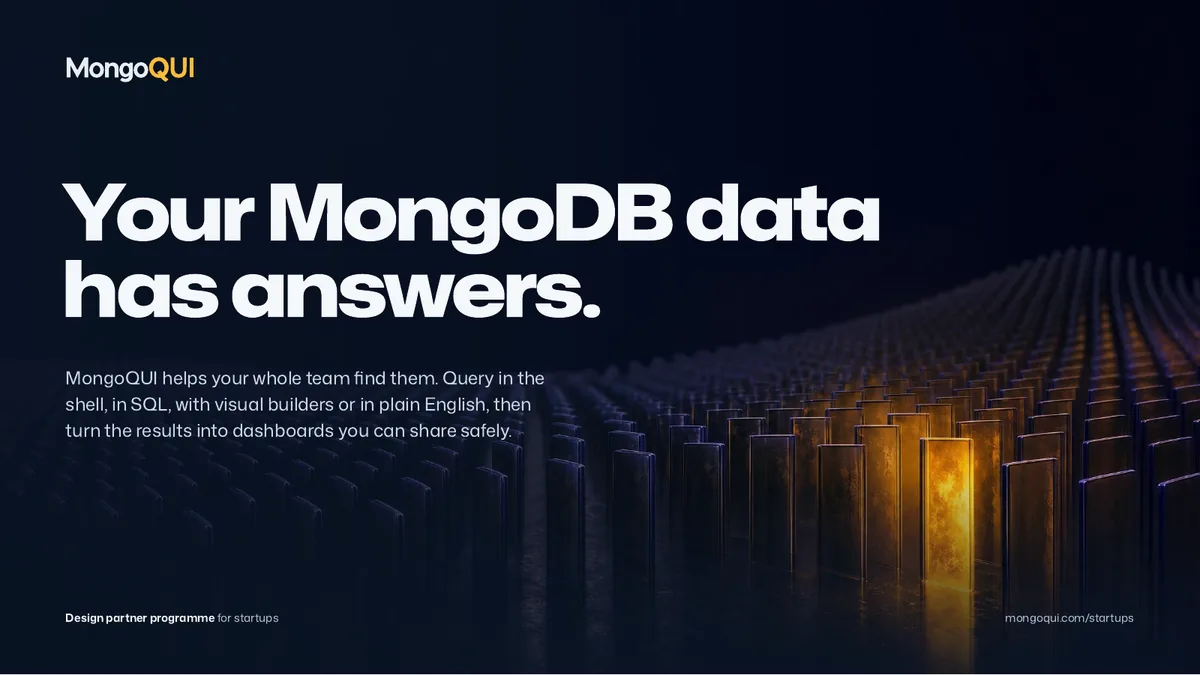
Your MongoDB data has answers.
MongoQUI is the MongoDB workspace for your whole team. Startups in our design partner programme get MongoQUI Ultimate free for twelve months, and a direct say in what we build next.
- Free for twelve months
- Every seat on your team
- No card, no automatic renewal
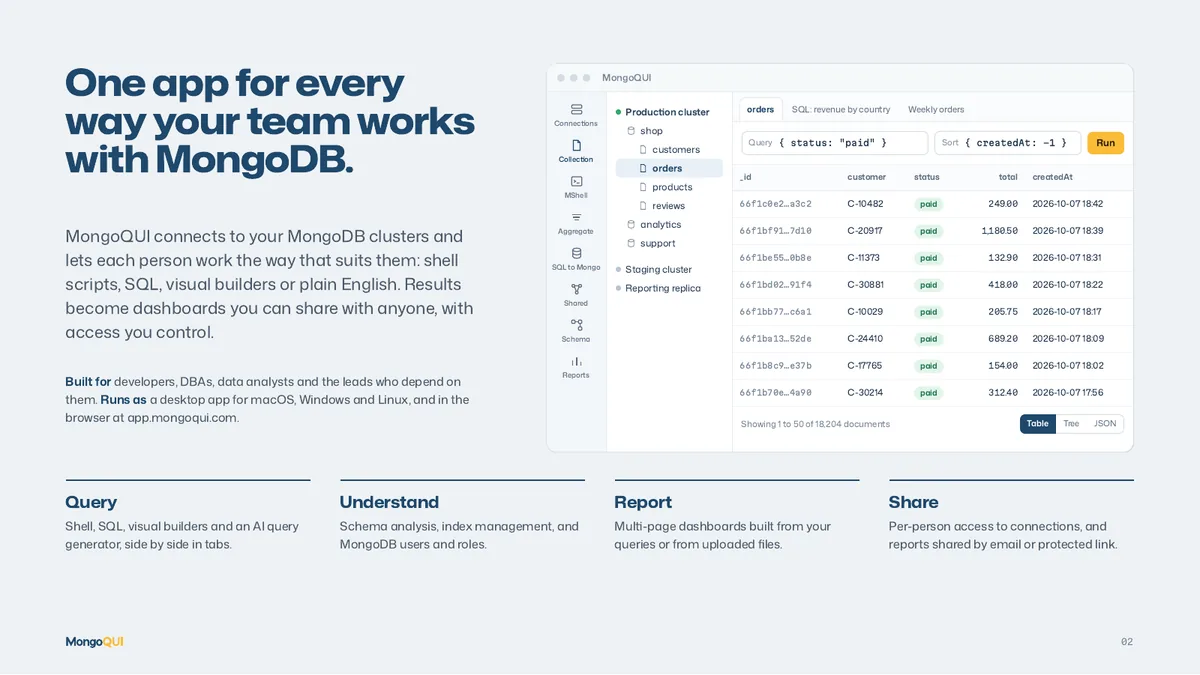
One app for every way your team works with MongoDB.
MongoQUI connects to your MongoDB clusters and lets each person work the way that suits them: shell scripts, SQL, visual builders or plain English. Results become dashboards you can share with anyone, with access you control.
Built for developers, DBAs, data analysts and the founders who depend on them. Runs as a desktop app for macOS, Windows and Linux, and in the browser at app.mongoqui.com.
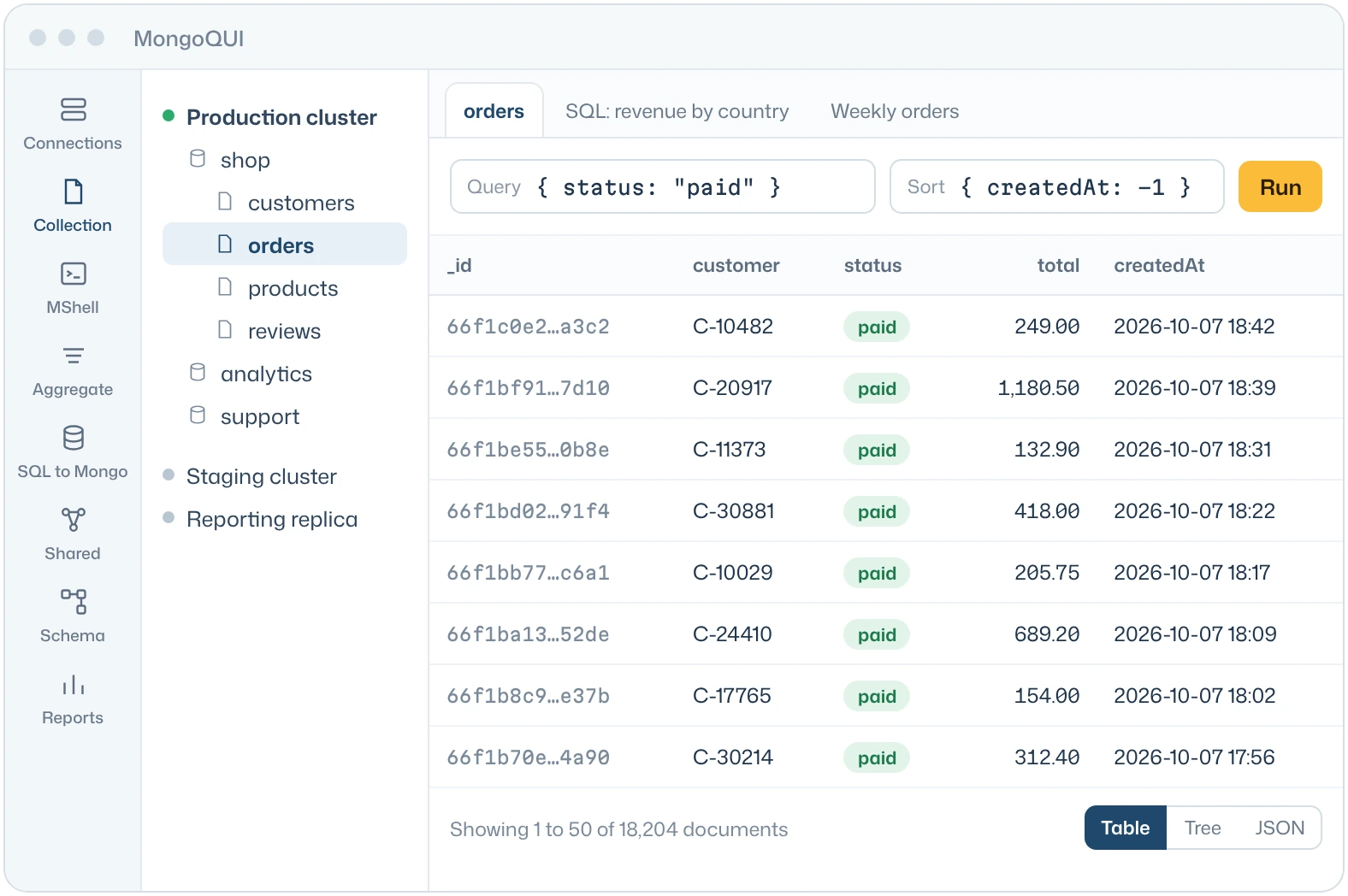
Query
Shell, SQL, visual builders and an AI query generator, side by side in tabs.
Understand
Schema analysis, index management, and MongoDB users and roles.
Report
Multi-page dashboards built from your queries or from uploaded files.
Share
Per-person access to connections, and reports shared by email or protected link.

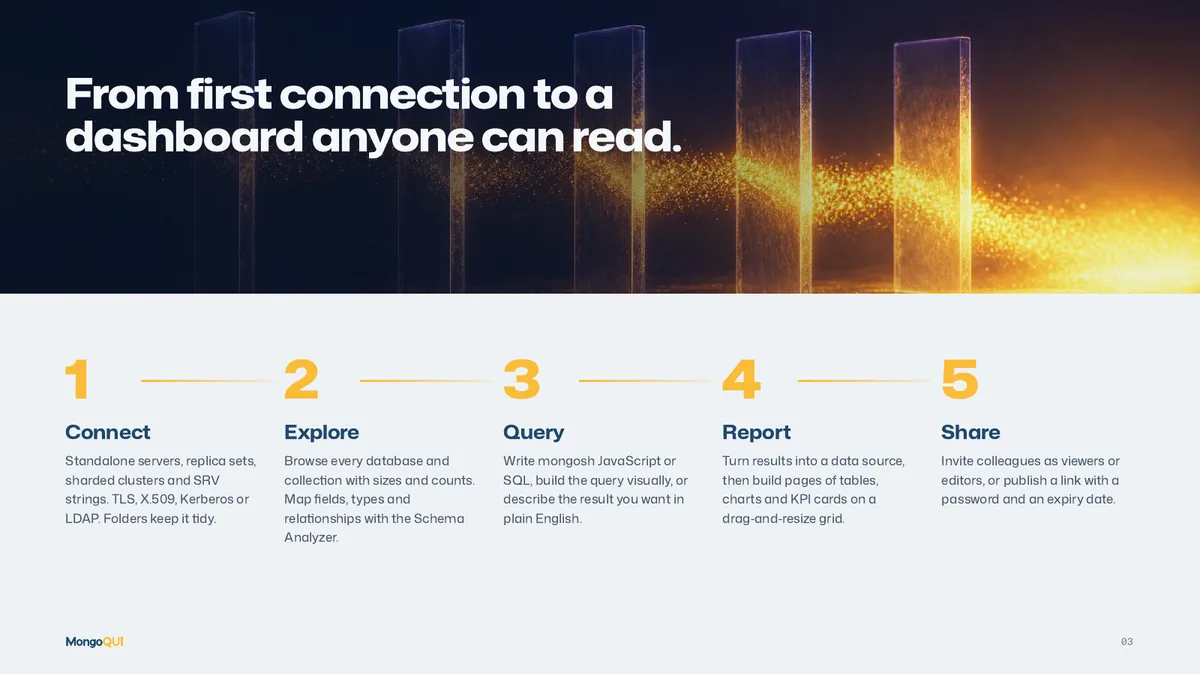
From first connection to a dashboard anyone can read.
Connect
Standalone servers, replica sets, sharded clusters and SRV strings. TLS, X.509, Kerberos or LDAP. Folders keep it tidy.
Explore
Browse every database and collection with sizes and counts. Map fields, types and relationships with the Schema Analyzer.
Query
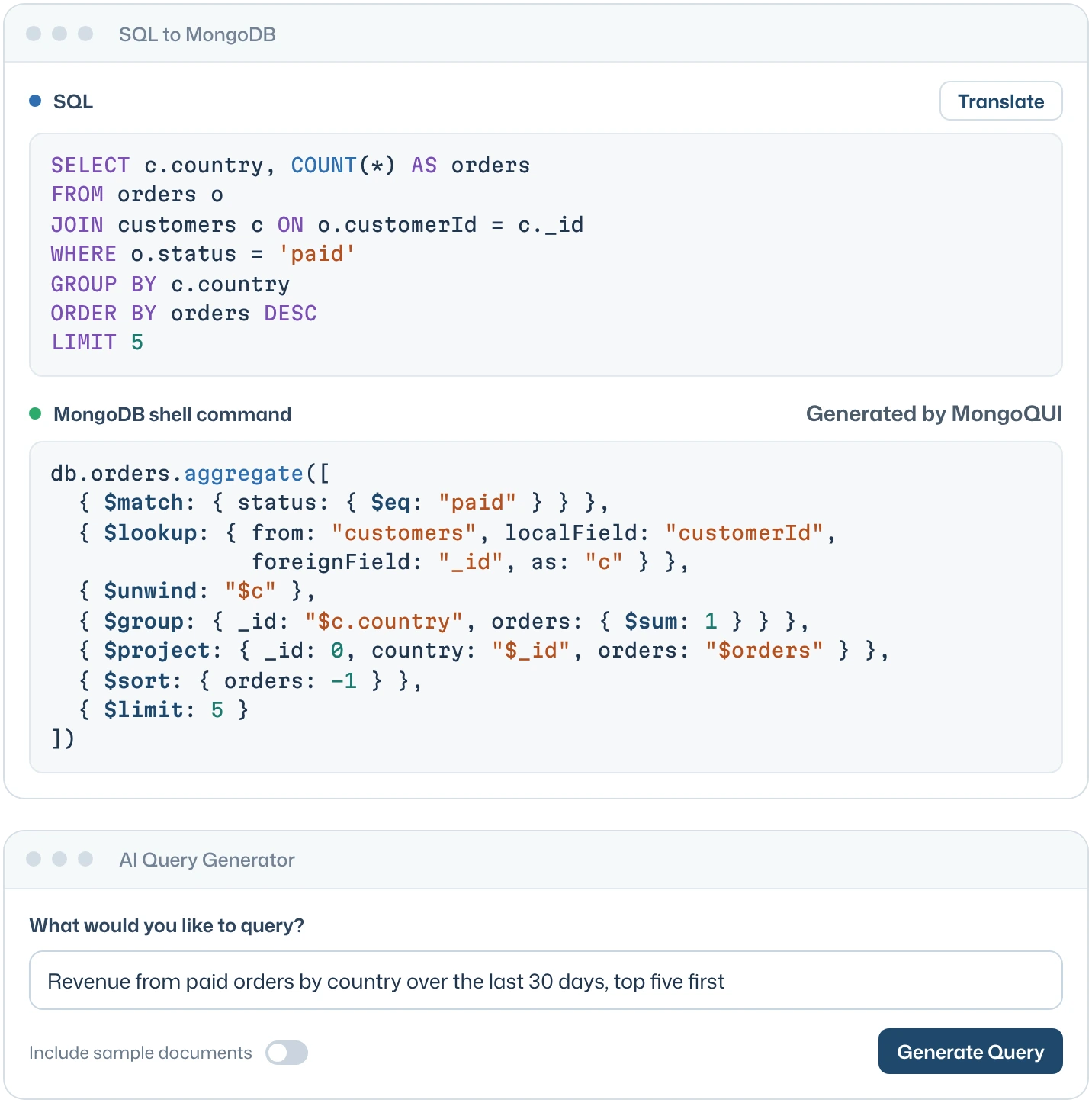
Write mongosh JavaScript or SQL, build the query visually, or describe the result you want in plain English.
Report
Turn results into a data source, then build pages of tables, charts and KPI cards on a drag‑and‑resize grid.
Share
Invite colleagues as viewers or editors, or publish a link with a password and an expiry date.
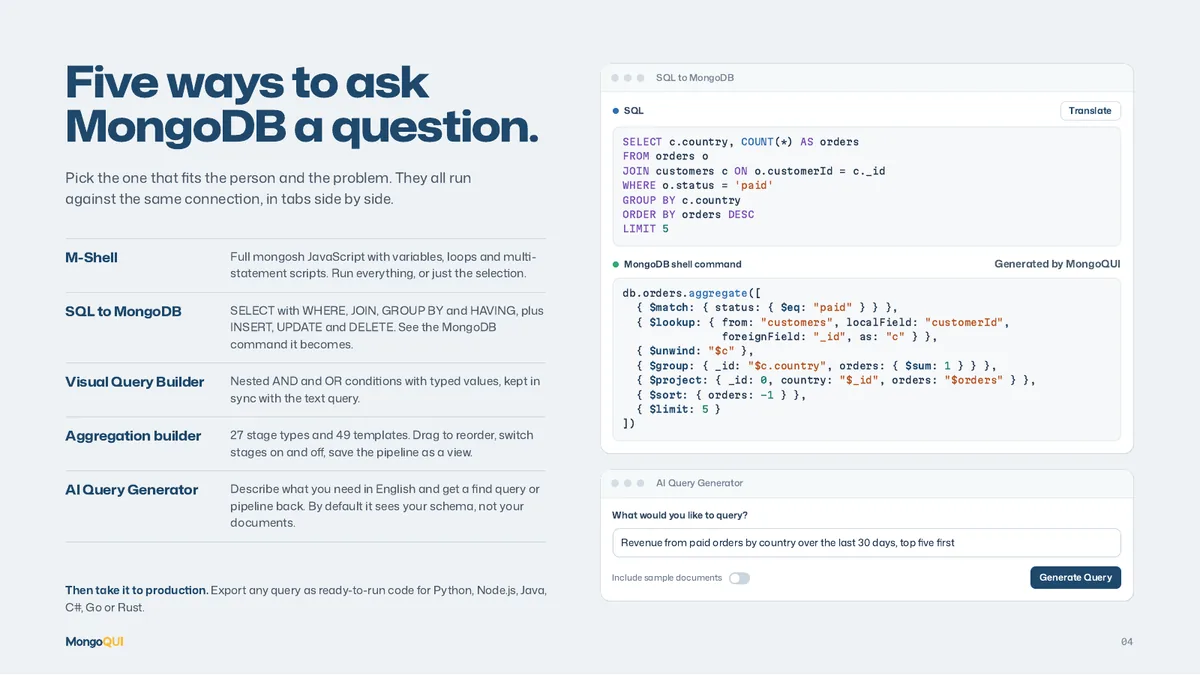
Five ways to ask MongoDB a question.
Pick the one that fits the person and the problem. They all run against the same connection, in tabs side by side.
M-Shell
Full mongosh JavaScript with variables, loops and multi-statement scripts. Run everything, or just the selection.
SQL to MongoDB
SELECT with WHERE, JOIN, GROUP BY and HAVING, plus INSERT, UPDATE and DELETE. See the MongoDB command it becomes.
Visual Query Builder
Nested AND and OR conditions with typed values, kept in sync with the text query.
Aggregation builder
27 stage types and 49 templates. Drag to reorder, switch stages on and off, save the pipeline as a view.
AI Query Generator
Describe what you need in English and get a find query or pipeline back. By default it sees your schema, not your documents.
Then take it to production. Export any query as ready-to-run code for Python, Node.js, Java, C#, Go or Rust.

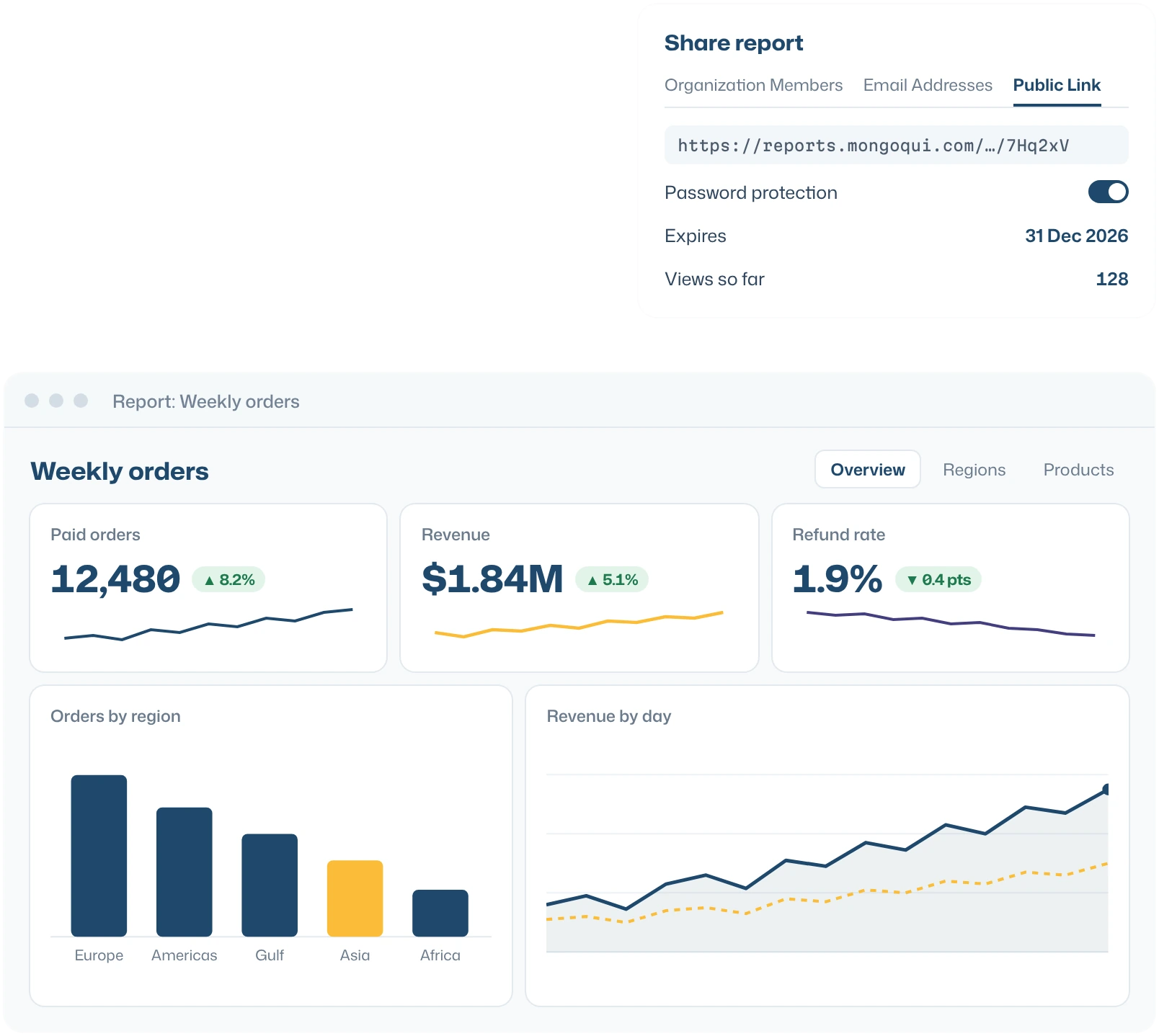
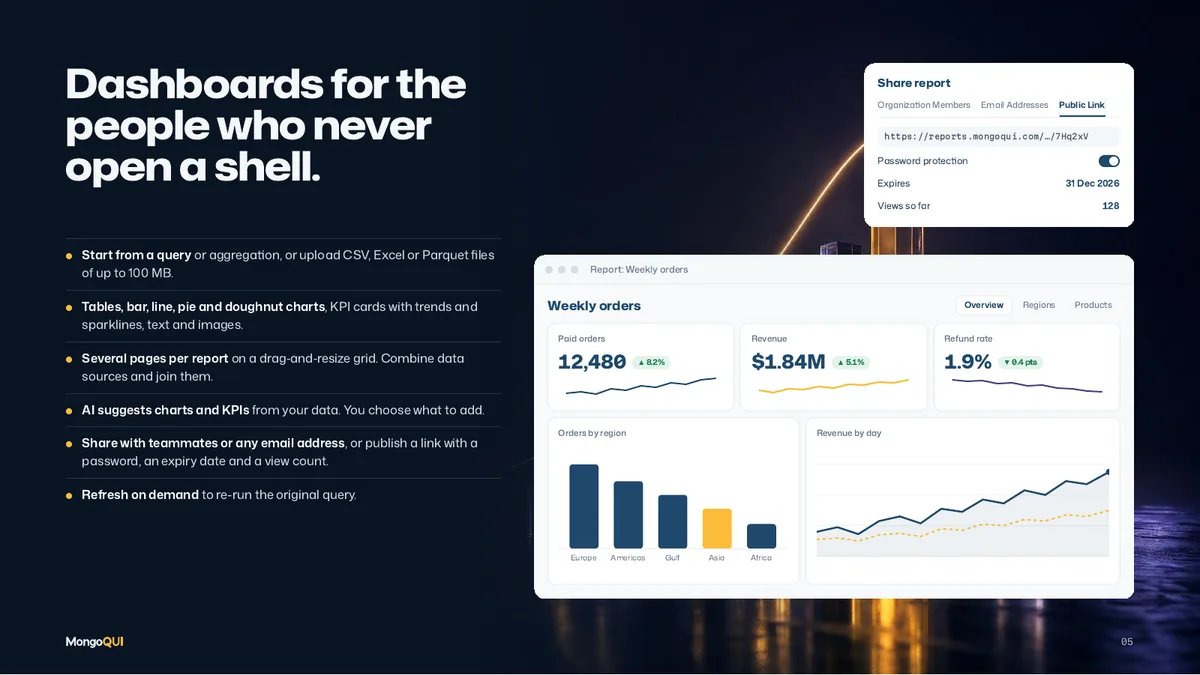
Dashboards for the people who never open a shell.
- Start from a query or aggregation, or upload CSV, Excel or Parquet files of up to 100 MB.
- Tables, bar, line, pie and doughnut charts, KPI cards with trends and sparklines, text and images.
- Several pages per report on a drag-and-resize grid. Combine data sources and join them.
- AI suggests charts and KPIs from your data. You choose what to add.
- Share with teammates or any email address, or publish a link with a password, an expiry date and a view count.
- Refresh on demand to re-run the original query.
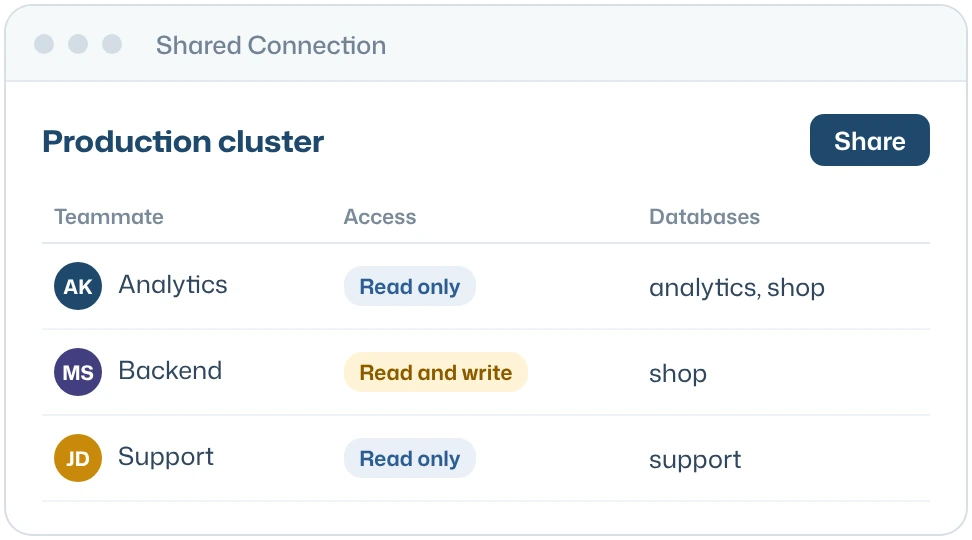
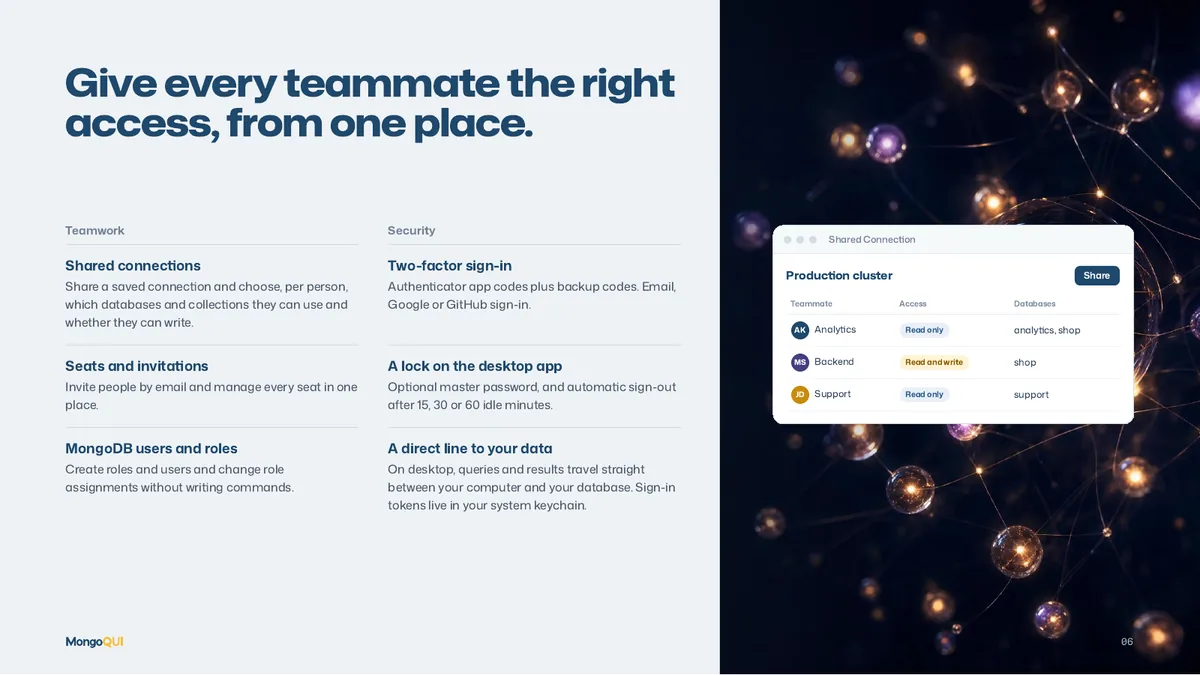
Give every teammate the right access, from one place.
Teamwork
Security

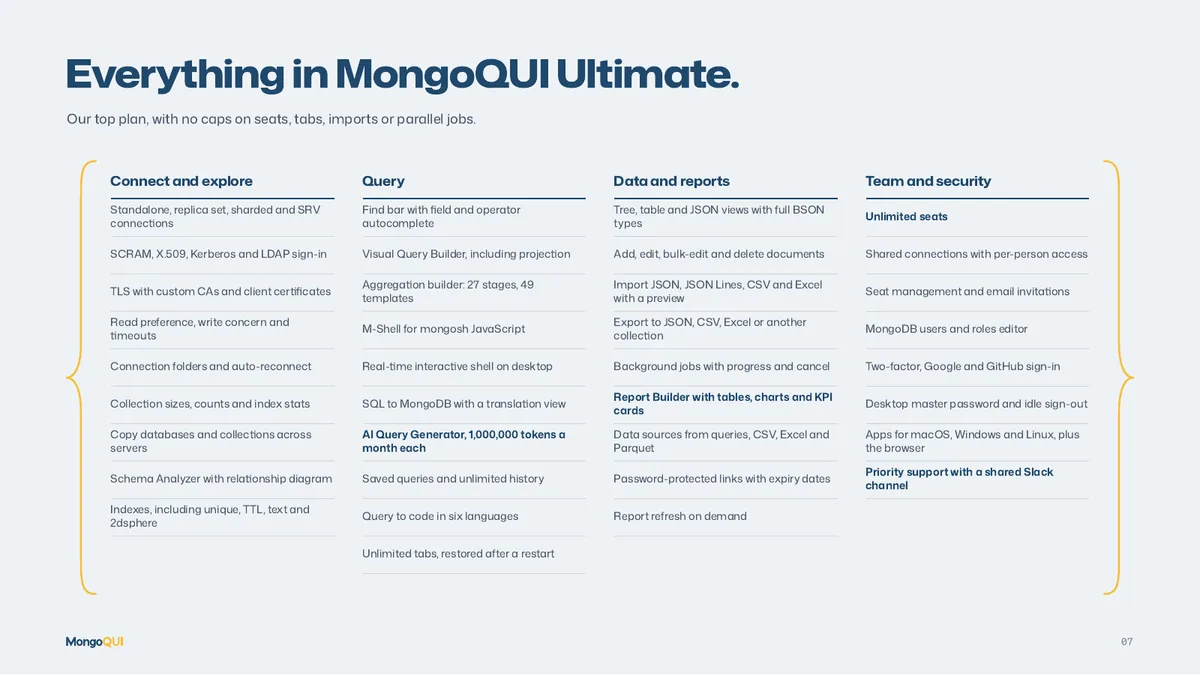
Everything in MongoQUI Ultimate.
Our top plan, with no caps on seats, tabs, imports or parallel jobs.
Connect and explore
- Standalone, replica set, sharded and SRV connections
- SCRAM, X.509, Kerberos and LDAP sign-in
- TLS with custom CAs and client certificates
- Read preference, write concern and timeouts
- Connection folders and auto-reconnect
- Collection sizes, counts and index stats
- Copy databases and collections across servers
- Schema Analyzer with relationship diagram
- Indexes, including unique, TTL, text and 2dsphere
Query
- Find bar with field and operator autocomplete
- Visual Query Builder, including projection
- Aggregation builder: 27 stages, 49 templates
- M-Shell for mongosh JavaScript
- Real-time interactive shell on desktop
- SQL to MongoDB with a translation view
- AI Query Generator, 1,000,000 tokens a month each
- Saved queries and unlimited history
- Query to code in six languages
- Unlimited tabs, restored after a restart
Data and reports
- Tree, table and JSON views with full BSON types
- Add, edit, bulk-edit and delete documents
- Import JSON, JSON Lines, CSV and Excel with a preview
- Export to JSON, CSV, Excel or another collection
- Background jobs with progress and cancel
- Report Builder with tables, charts and KPI cards
- Data sources from queries, CSV, Excel and Parquet
- Password-protected links with expiry dates
- Report refresh on demand
Team and security
- Unlimited seats
- Shared connections with per-person access
- Seat management and email invitations
- MongoDB users and roles editor
- Two-factor, Google and GitHub sign-in
- Desktop master password and idle sign-out
- Apps for macOS, Windows and Linux, plus the browser
- Priority support with a shared Slack channel
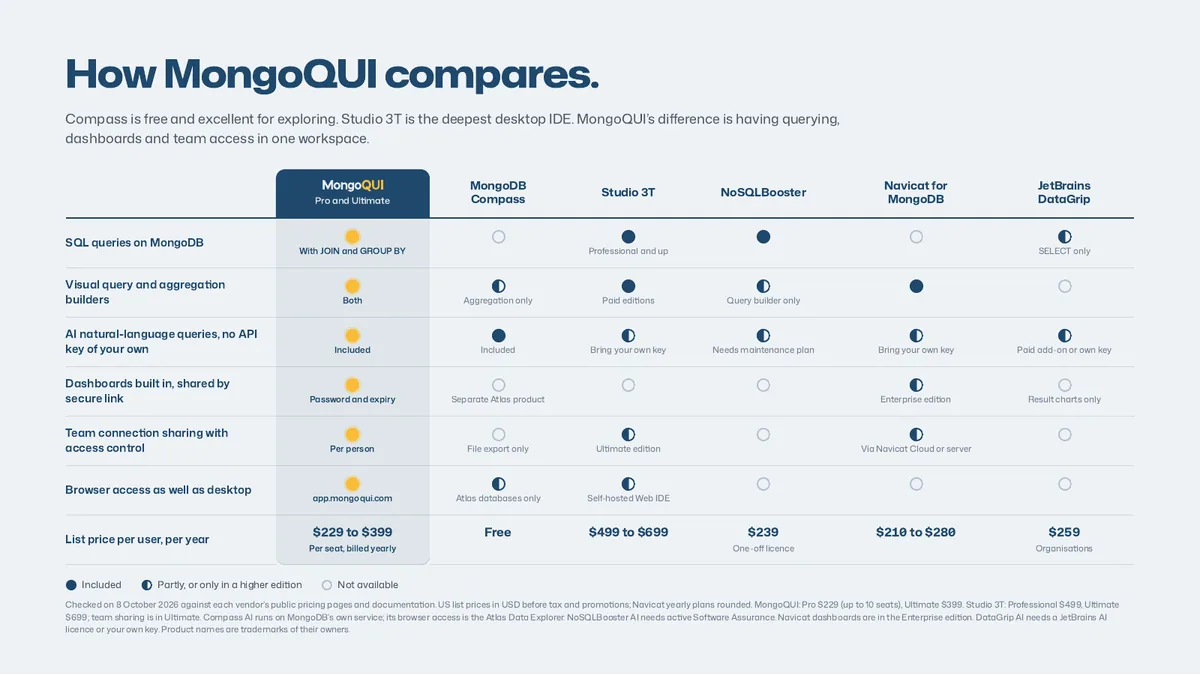
How MongoQUI compares.
Compass is free and excellent for exploring. Studio 3T is the deepest desktop IDE. MongoQUI’s difference is having querying, dashboards and team access in one workspace.
Scroll sideways to see every tool.
| Capability |  Pro and Ultimate Pro and Ultimate | MongoDB Compass | Studio 3T | NoSQLBooster | Navicat for MongoDB | JetBrains DataGrip |
|---|---|---|---|---|---|---|
| SQL queries on MongoDB | With JOIN and GROUP BY | Professional and up | SELECT only | |||
| Visual query and aggregation builders | Both | Aggregation only | Paid editions | Query builder only | ||
| AI natural-language queries, no API key of your own | Included | Included | Bring your own key | Needs maintenance plan | Bring your own key | Paid add-on or own key |
| Dashboards built in, shared by secure link | Password and expiry | Separate Atlas product | Enterprise edition | Result charts only | ||
| Team connection sharing with access control | Per person | File export only | Ultimate edition | Via Navicat Cloud or server | ||
| Browser access as well as desktop | app.mongoqui.com | Atlas databases only | Self-hosted Web IDE | |||
| List price per user, per year | $229 to $399Per seat, billed yearly | Free | $499 to $699 | $239One-off licence | $210 to $280 | $259Organisations |
Checked on 8 October 2026 against each vendor’s public pricing pages and documentation. US list prices in USD before tax and promotions; Navicat yearly plans rounded. MongoQUI: Pro $229 (up to 10 seats), Ultimate $399. Studio 3T: Professional $499, Ultimate $699; team sharing is in Ultimate. Compass AI runs on MongoDB’s own service; its browser access is the Atlas Data Explorer. NoSQLBooster AI needs active Software Assurance. Navicat dashboards are in the Enterprise edition. DataGrip AI needs a JetBrains AI licence or your own key. Product names are trademarks of their owners.
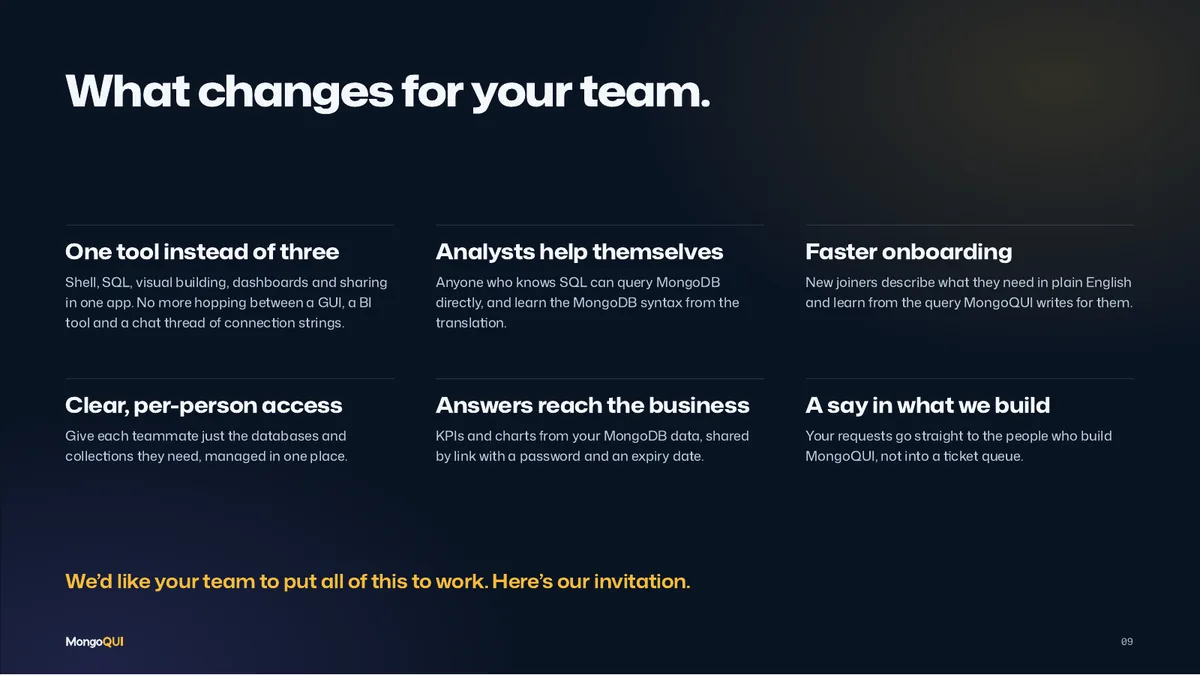
What changes for your team.
One tool instead of three
Shell, SQL, visual building, dashboards and sharing in one app. No more hopping between a GUI, a BI tool and a chat thread of connection strings.
Analysts help themselves
Anyone who knows SQL can query MongoDB directly, and learn the MongoDB syntax from the translation.
Faster onboarding
New joiners describe what they need in plain English and learn from the query MongoQUI writes for them.
Clear, per-person access
Give each teammate just the databases and collections they need, managed in one place.
Answers reach the business
KPIs and charts from your MongoDB data, shared by link with a password and an expiry date.
A say in what we build
Your requests go straight to the people who build MongoQUI, not into a ticket queue.
We’d like your team to put all of this to work. Here’s our invitation.

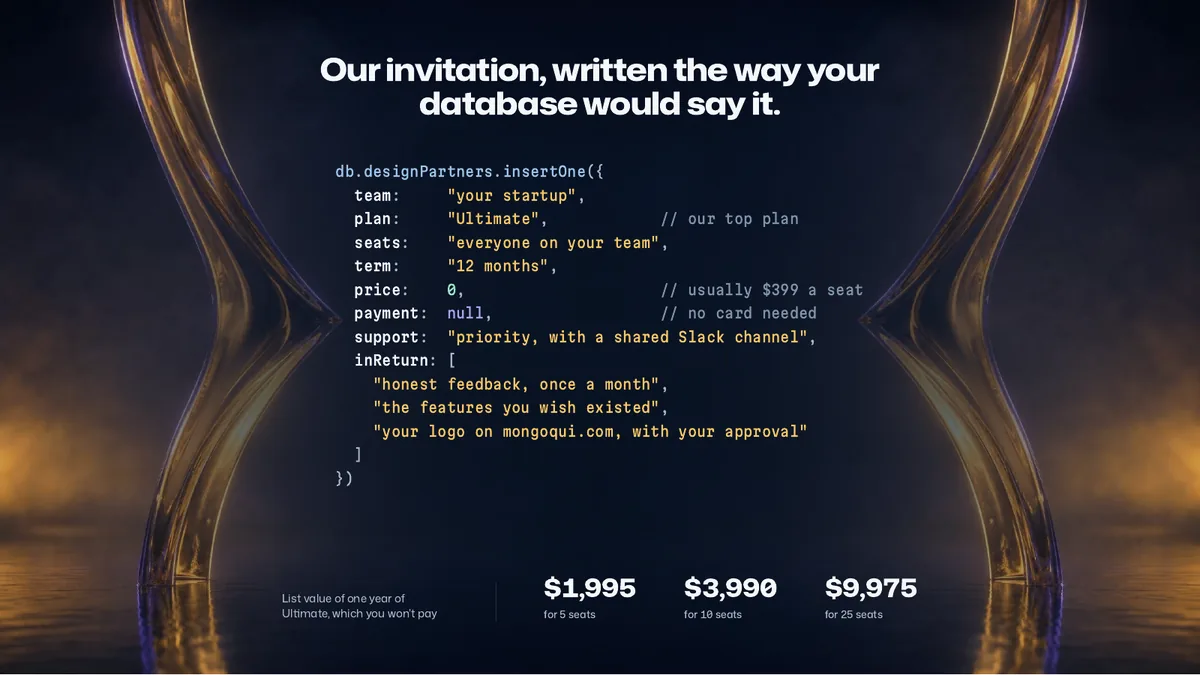
Our invitation, written the way your database would say it.
db.designPartners.insertOne({
  team:     "your startup",
  plan:     "Ultimate",            // our top plan
  seats:    "everyone on your team",
  term:     "12 months",
  price:    0,                     // usually $399 a seat
  payment:  null,                  // no card needed
  support:  "priority, with a shared Slack channel",
  inReturn: [
    "honest feedback, once a month",
    "the features you wish existed",
    "your logo on mongoqui.com, with your approval"
  ]
})
List value of one year of Ultimate, which you won’t pay
$1,995for 5 seats
$3,990for 10 seats
$9,975for 25 seats

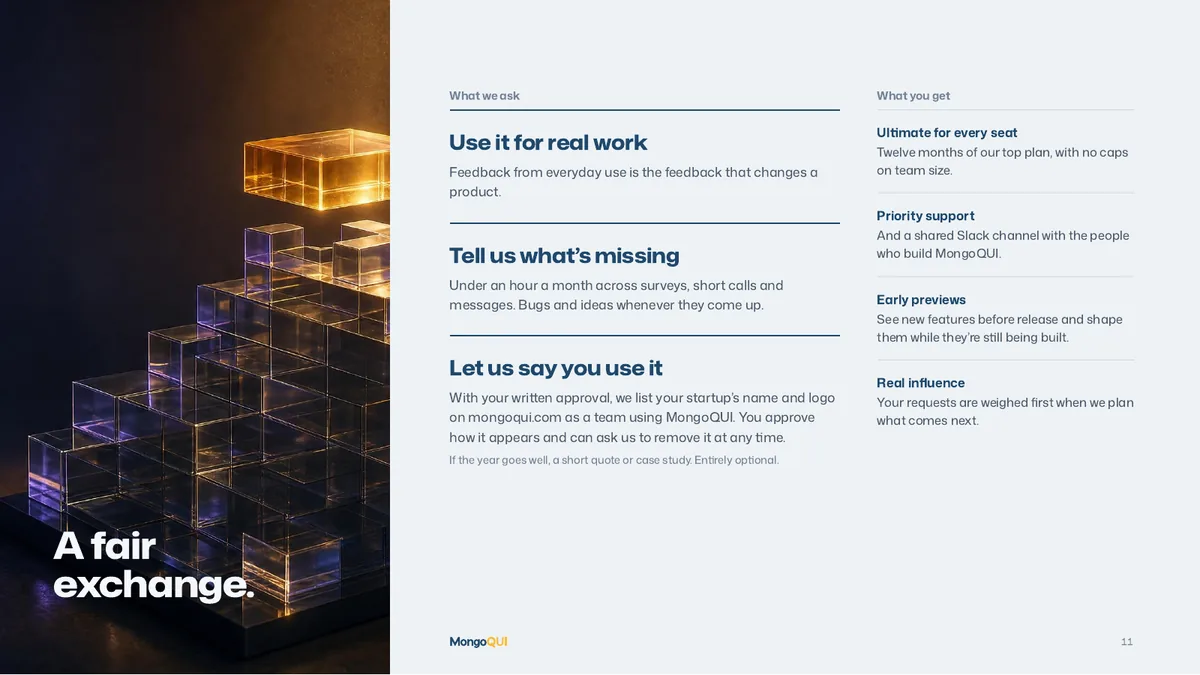
A fair exchange.
What we ask
If the year goes well, a short quote or case study. Entirely optional.
What you get
- Ultimate for every seatTwelve months of our top plan, with no caps on team size.
- Priority supportAnd a shared Slack channel with the people who build MongoQUI.
- Early previewsSee new features before release and shape them while they’re still being built.
- Real influenceYour requests are weighed first when we plan what comes next.
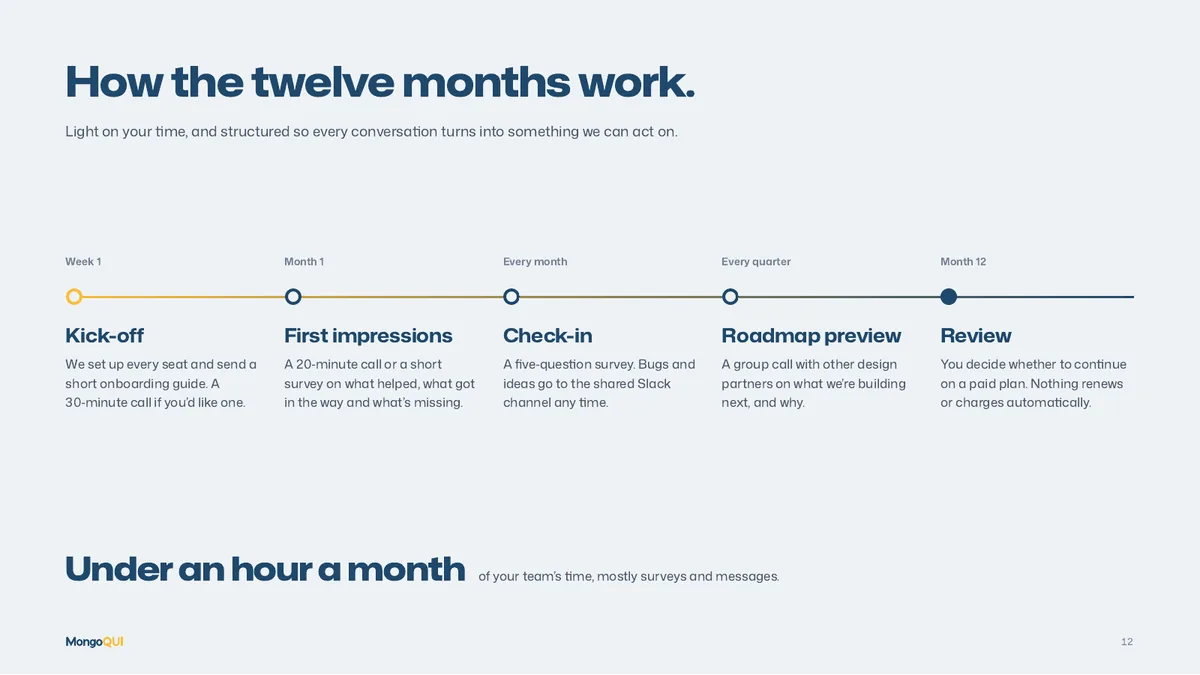
How the twelve months work.
Light on your time, and structured so every conversation turns into something we can act on.
- Week 1
Kick-off
We set up every seat and send a short onboarding guide. A 30‑minute call if you’d like one.
- Month 1
First impressions
A 20‑minute call or a short survey on what helped, what got in the way and what’s missing.
- Every month
Check-in
A five‑question survey. Bugs and ideas go to the shared Slack channel any time.
- Every quarter
Roadmap preview
A group call with other design partners on what we’re building next, and why.
- Month 12
Review
You decide whether to continue on a paid plan. Nothing renews or charges automatically.
The whole pitch, in one PDF.
Thirteen pages to share with your co-founders or your CTO before you apply.
Scroll for all thirteen pages. Select a page to open it.

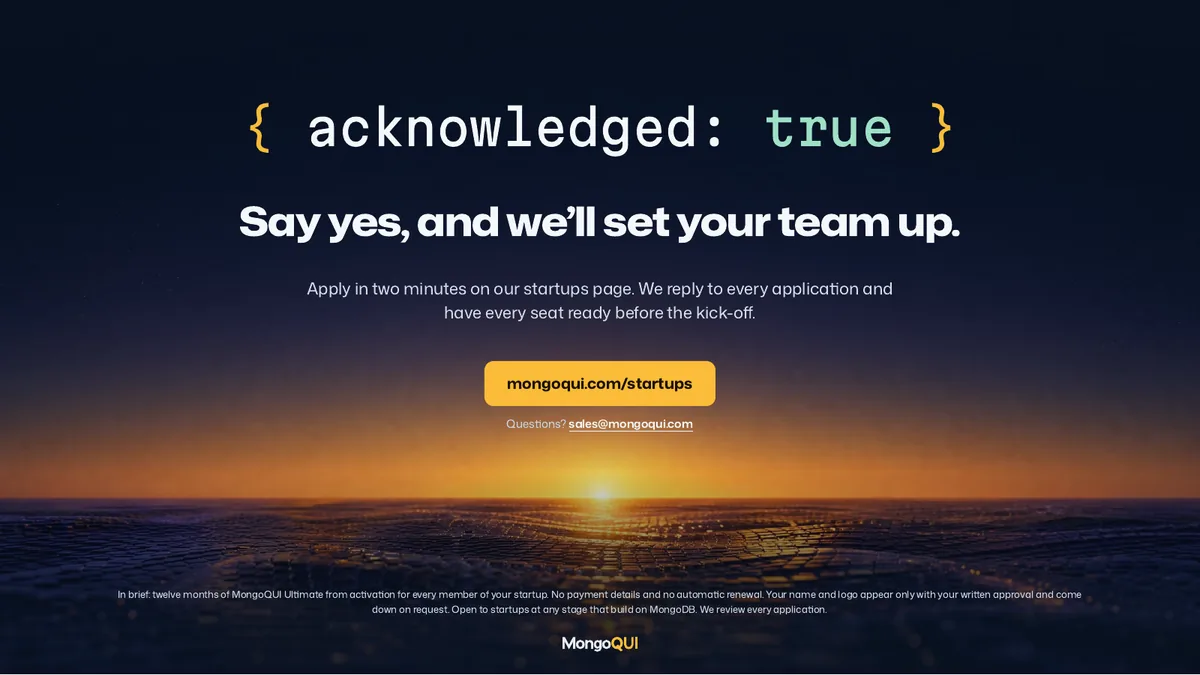
Say yes, and we’ll set your team up.
Apply in two minutes. We reply to every application and have every seat ready before the kick-off.
- Open to startups at any stage that build on MongoDB
- MongoQUI Ultimate for every seat, for twelve months
- No payment details and no automatic renewal
- Your logo on mongoqui.com only with your written approval
Questions first? Write to sales@mongoqui.com. Prefer to explore on your own? Download MongoQUI and start free today.